
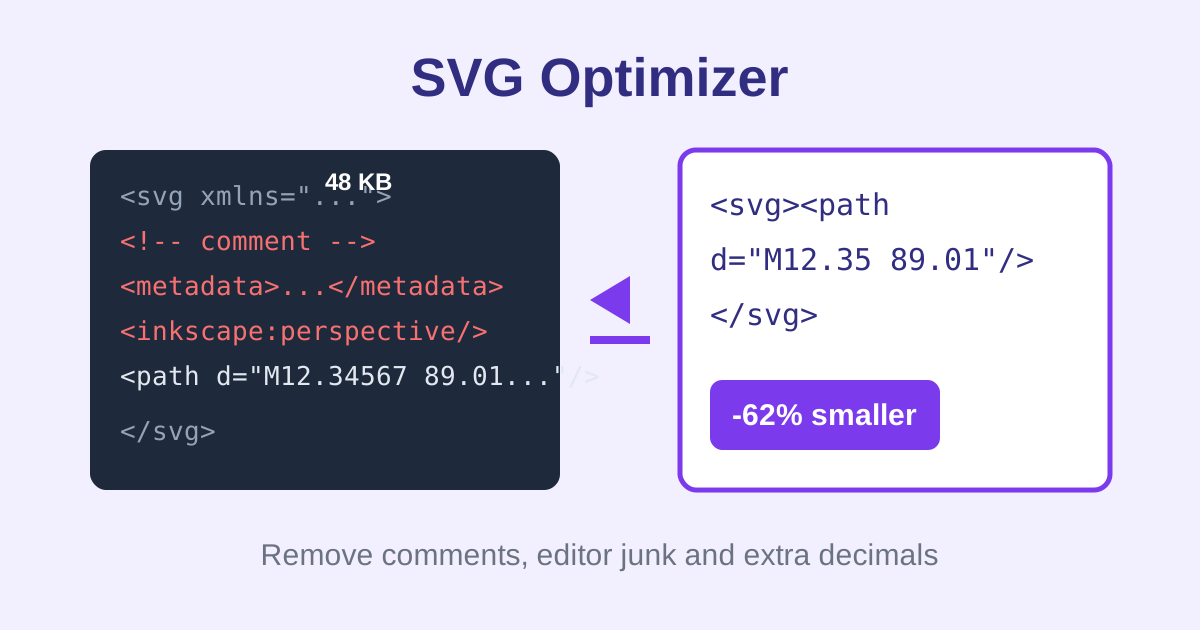
SVG Optimizer is a free online tool that shrinks SVG code by removing comments, collapsing whitespace, stripping editor metadata like Inkscape and Illustrator tags, and rounding numbers to two decimals. Paste your SVG, see before and after byte sizes with the percentage saved, then copy or download the result. No signup, no watermark.
Optimized SVG preview appears here.
How do I reduce SVG file size?
Paste your SVG code into the optimizer above and click Optimize SVG. The tool removes comments, editor metadata, unused namespaces and extra whitespace, then rounds long decimals to two places. The results panel shows the before and after byte sizes with the percentage saved. Copy the cleaned code or download it, and preview the render to confirm nothing changed.
If the report says your file is already lean, the drawing had no removable bloat, which is common for hand-written icons. Export-heavy files from Inkscape or Illustrator are where the biggest savings appear, often 40 to 70 percent.
Why are my SVG files so large?
Vector editors like Inkscape and Illustrator save extra data: comments, metadata blocks, editor namespaces, hidden layers and numbers with six or more decimals. That bloat can double or triple the file size. Optimizing strips the non-visual data while keeping the drawing identical, which makes pages load faster and icons cheaper to embed.
Every kilobyte matters for icons used across a site. A 50 KB unoptimized logo repeated on every page costs real bandwidth, while the optimized version often drops under 15 KB with zero visual difference.
Is this a replacement for SVGO?
No. This is a basic optimizer that handles the most common bloat: comments, editor metadata, whitespace and decimal precision. SVGO is a full optimization pipeline with dozens of plugins for path simplification, shape merging and advanced cleanup. Use this tool for quick, safe reductions; use SVGO when you need maximum compression.
The advantage of a basic pass is safety. Aggressive optimizers can occasionally alter rendering in edge cases, while this tool only removes data that cannot affect the drawing, so the preview should always match the original.
Frequently asked questions
Is this SVG optimizer really free?
Yes. No signup, no watermark and no limits on file size or number of optimizations. The cleanup runs entirely in your browser with plain JavaScript.
Will optimization change how my SVG looks?
No. Only non-visual data is removed: comments, editor metadata, namespaces, whitespace and excess decimals. The drawing itself is untouched, and the live preview lets you confirm the render before copying.
What exactly gets removed?
HTML-style comments, metadata blocks, Inkscape and Sodipodi elements and attributes, Illustrator data-name attributes, editor namespace declarations, processing instructions, doctype declarations, redundant whitespace, empty fill/stroke attributes, and decimals rounded to 2 places.
Can I optimize multiple SVGs at once?
One SVG at a time. Paste a file, optimize, copy the result, then paste the next. Each run takes well under a second.
Is my SVG code uploaded anywhere?
No. Your code is parsed and cleaned locally in your browser tab. Nothing is sent to a server.
What if my SVG is already optimized?
The tool tells you no changes were needed and reports the file as already lean, so you can copy it out unchanged.